HailBytes SAT: Complete Platform Tour
Every screen an admin will use, in the order you use them: sign-on, dashboard, campaigns and live results, templates, landing pages, groups, sending profiles, training and compliance, certificates, executive reporting, multi-client organizations, integrations, and audit logs.

Prefer to read? The screen-by-screen tour follows below.
Secure Sign-On: SSO, SAML, OIDC, SCIM
Username/password with TOTP MFA is the baseline. Layer on OIDC SSO (Microsoft Entra ID, Google Workspace) or SAML 2.0 (Okta, OneLogin, JumpCloud, Auth0, or any standards-compliant IdP) for single sign-on. Add SCIM 2.0 provisioning to auto-create, update, and deactivate users straight from your identity directory, with no manual onboarding required.
The Program at a Glance
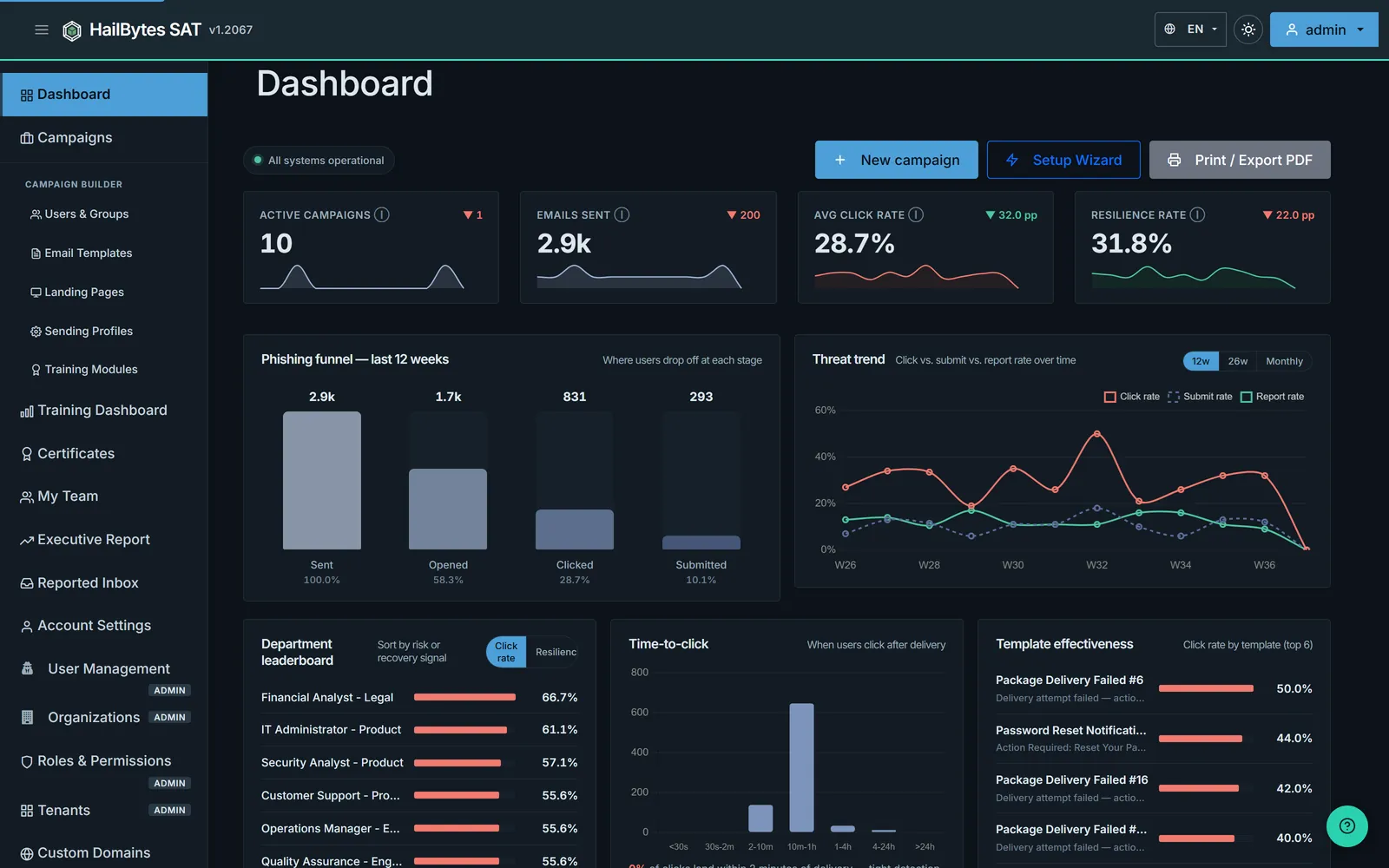
Sent, opened, clicked and submitted as a single funnel over the last 12 weeks, click and submit and report rates trended side by side, the departments carrying the most risk, how quickly people click after delivery, and which lures are actually working. New admins get a setup checklist on top of it until they finish onboarding.
Unlimited Campaigns
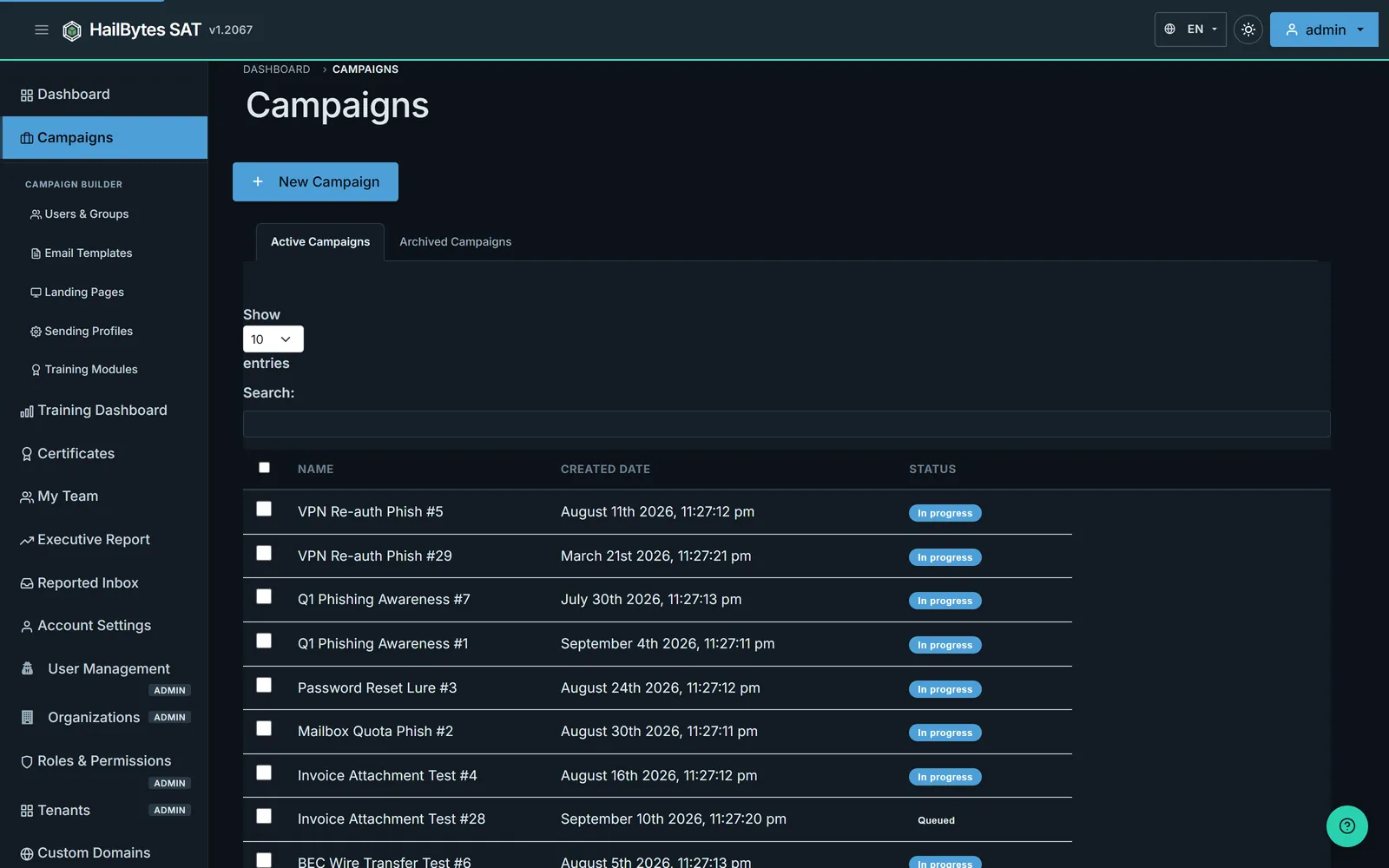
Launch active simulations and archive completed ones in a single view. No per-campaign fees, no per-user licensing, just run as many tests as your program needs.
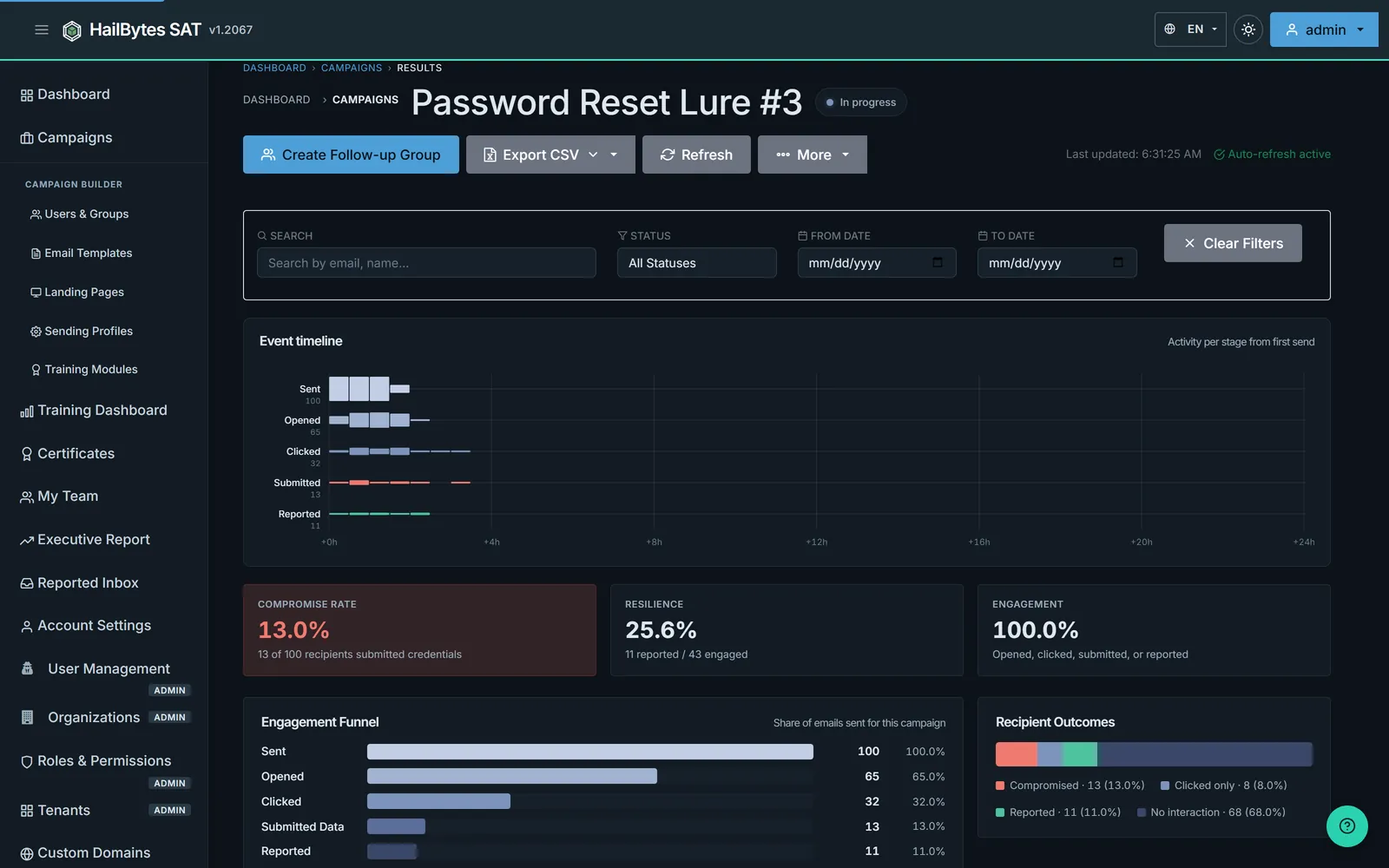
Results While the Campaign Is Still Running
An engagement funnel, compromise rate, resilience and per-recipient outcomes that update on their own while mail is still going out. Filter by status or date, export to CSV, or turn everyone who clicked into a follow-up group in one action.
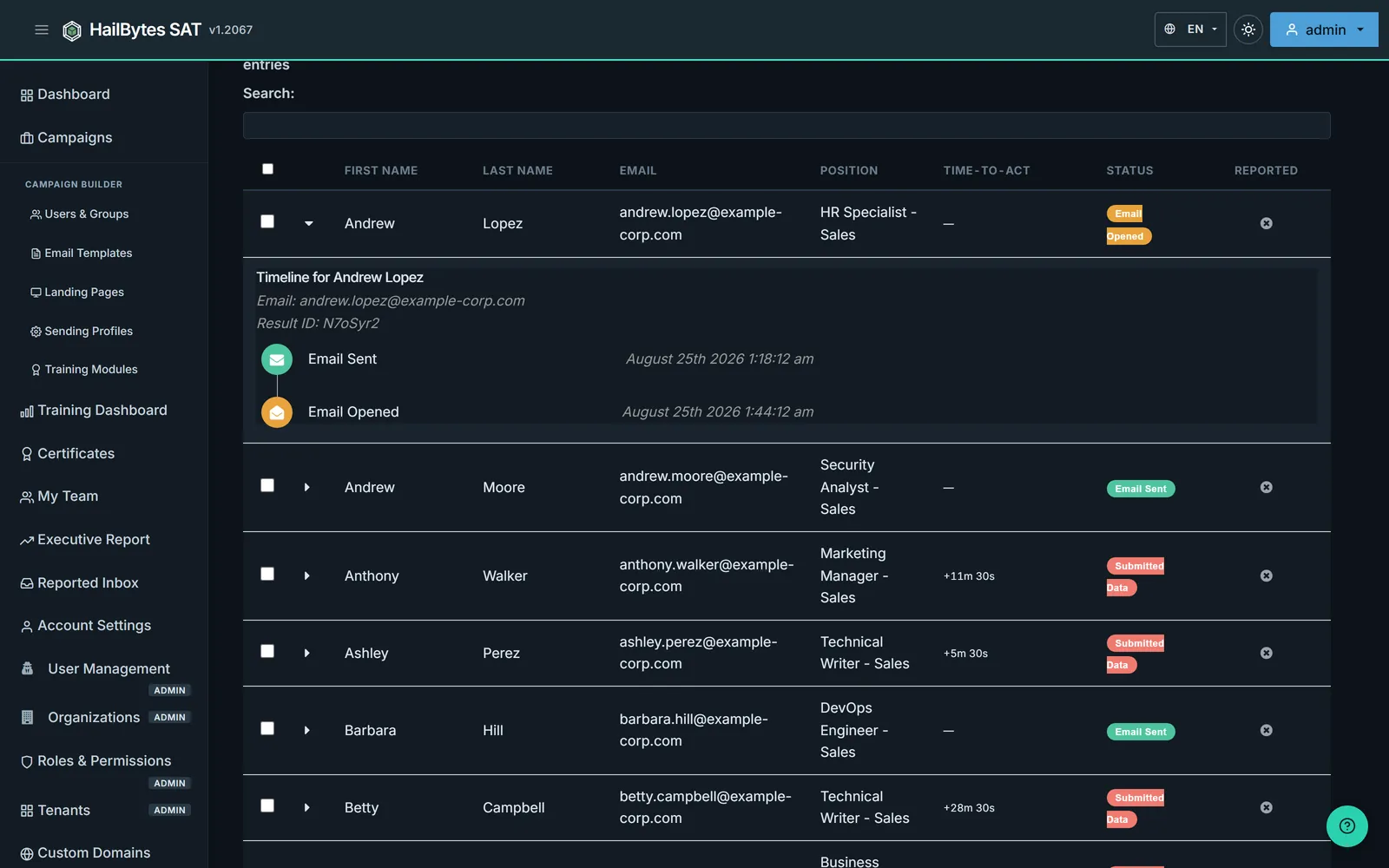
Every Recipient, Every Event, Timestamped
Expand any recipient to see exactly what they did and when: email sent, opened, link clicked, data submitted, phish reported. Time-to-act is recorded per person, which is what turns a click rate into a conversation with a manager.
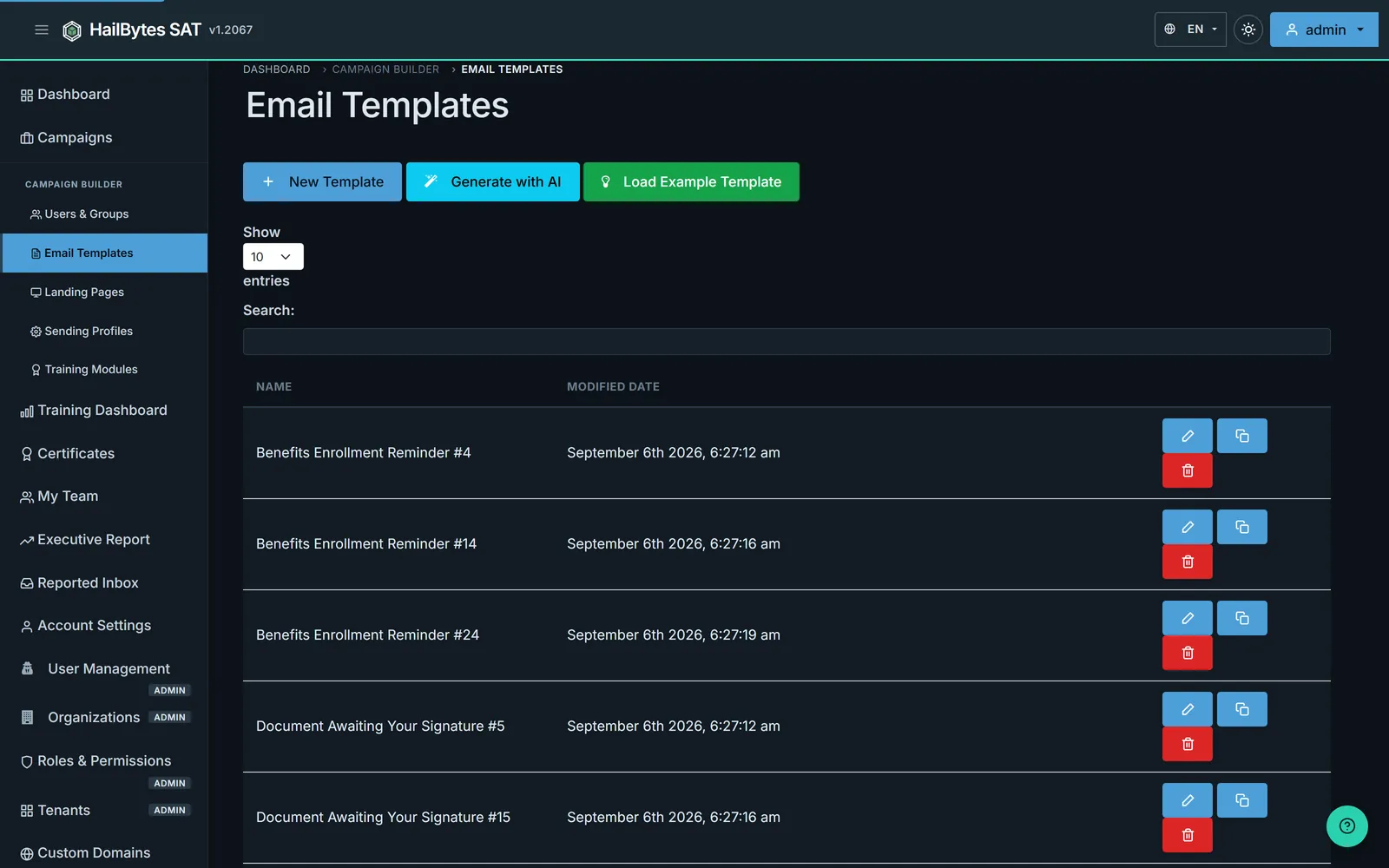
AI-Driven Campaigns & 45+ Industry Templates
Ship realistic campaigns fast with 45+ industry-specific templates, QR lure coverage, cloned template support, and built-in MCP tooling for AI-assisted campaign generation. Import your own lures too, with HTML/plain-text editing, merge variables, and tracking pixels built in.
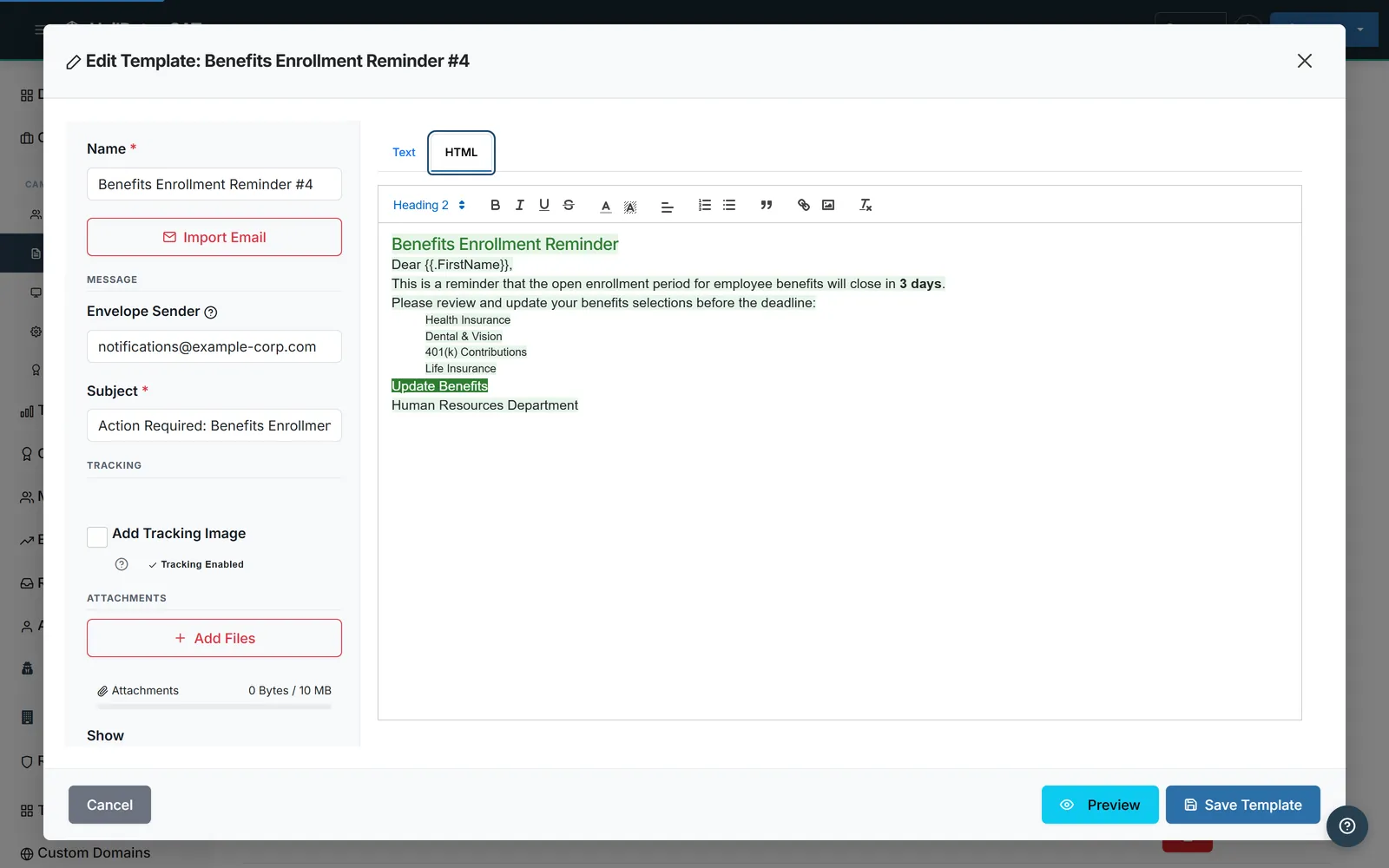
Full HTML Template Editor
Import an existing phishing lure in a single click, or craft custom HTML with Subject, Envelope Sender, and personalization variables like {{.FirstName}}. Tracking images are auto-injected.
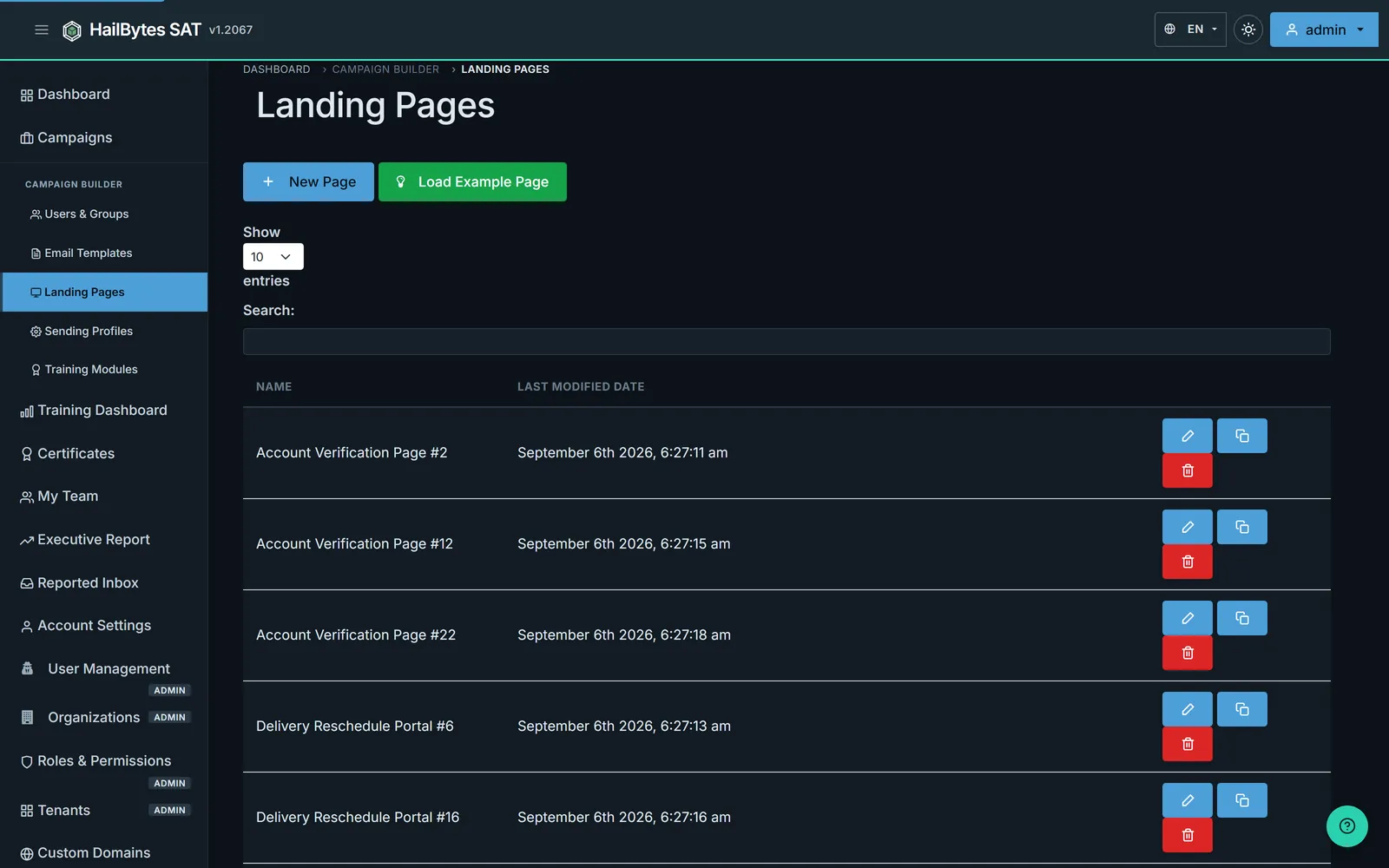
Reusable Landing Pages
Build credential-capture portals once, then reuse them across simulations. Clone and edit with version history. Pages like “Account Verification” and “Delivery Reschedule Portal” ship as reference templates.
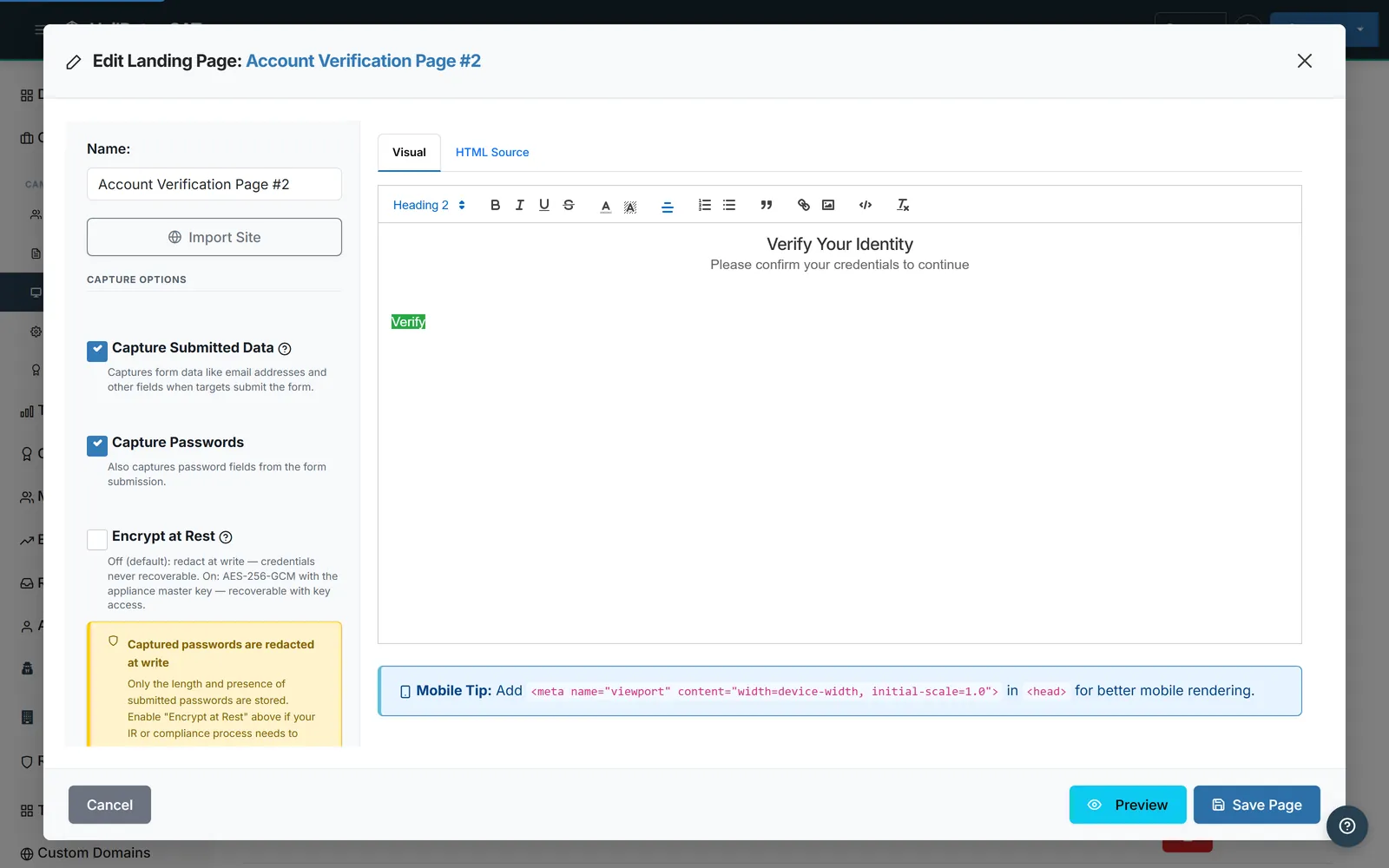
Post-Click Training & Branded Certificates
Turn every click into a teachable moment. After a user submits the form, redirect them into an interactive training module (no third-party LMS required) and auto-issue a branded PDF certificate (employee name, training title, completion date) when they pass the quiz.
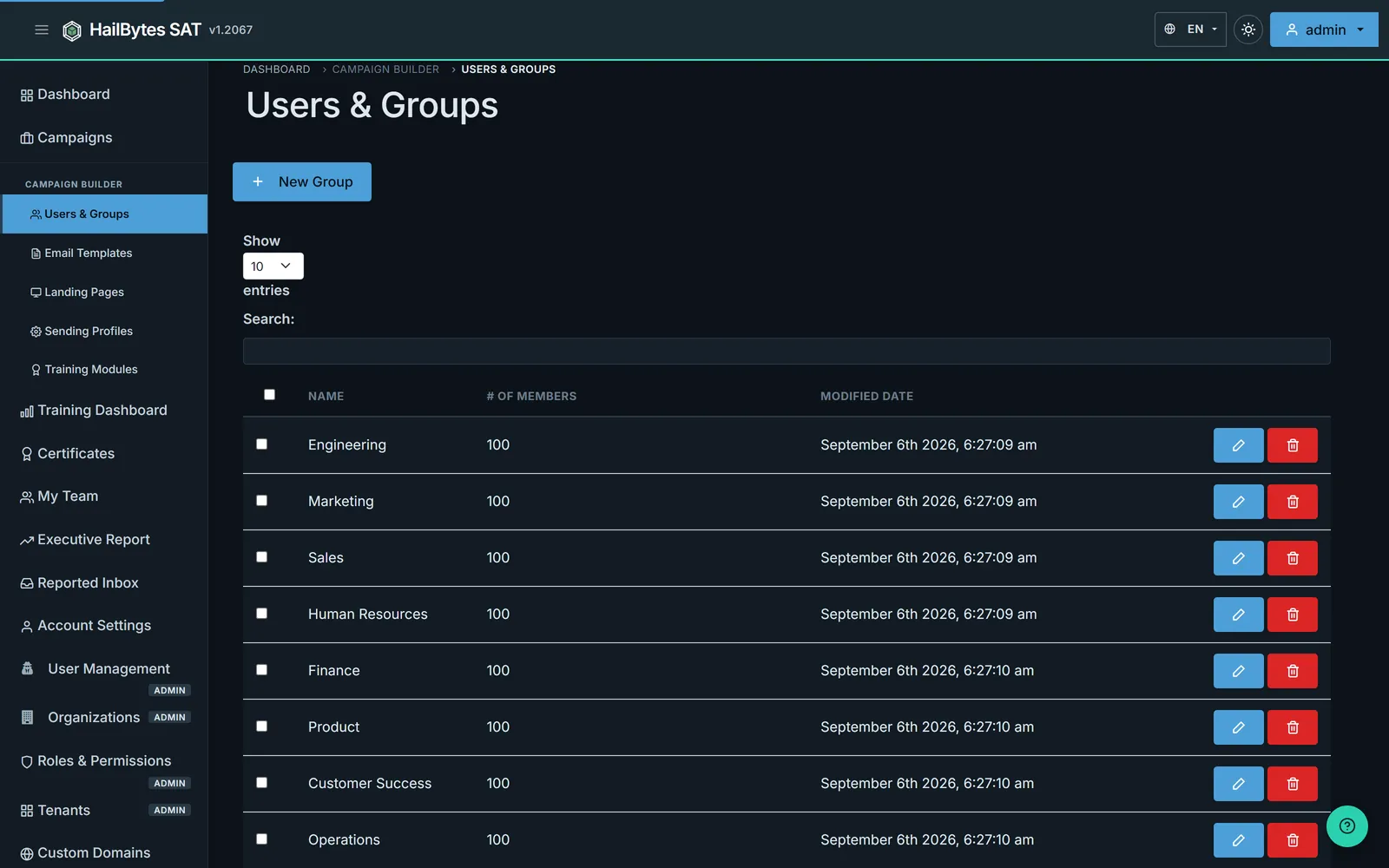
Segment by Group
Target by department, risk tier, or campaign cohort. CSV import for bulk onboarding, manual editing for precision, and unlimited groups for ongoing programs.
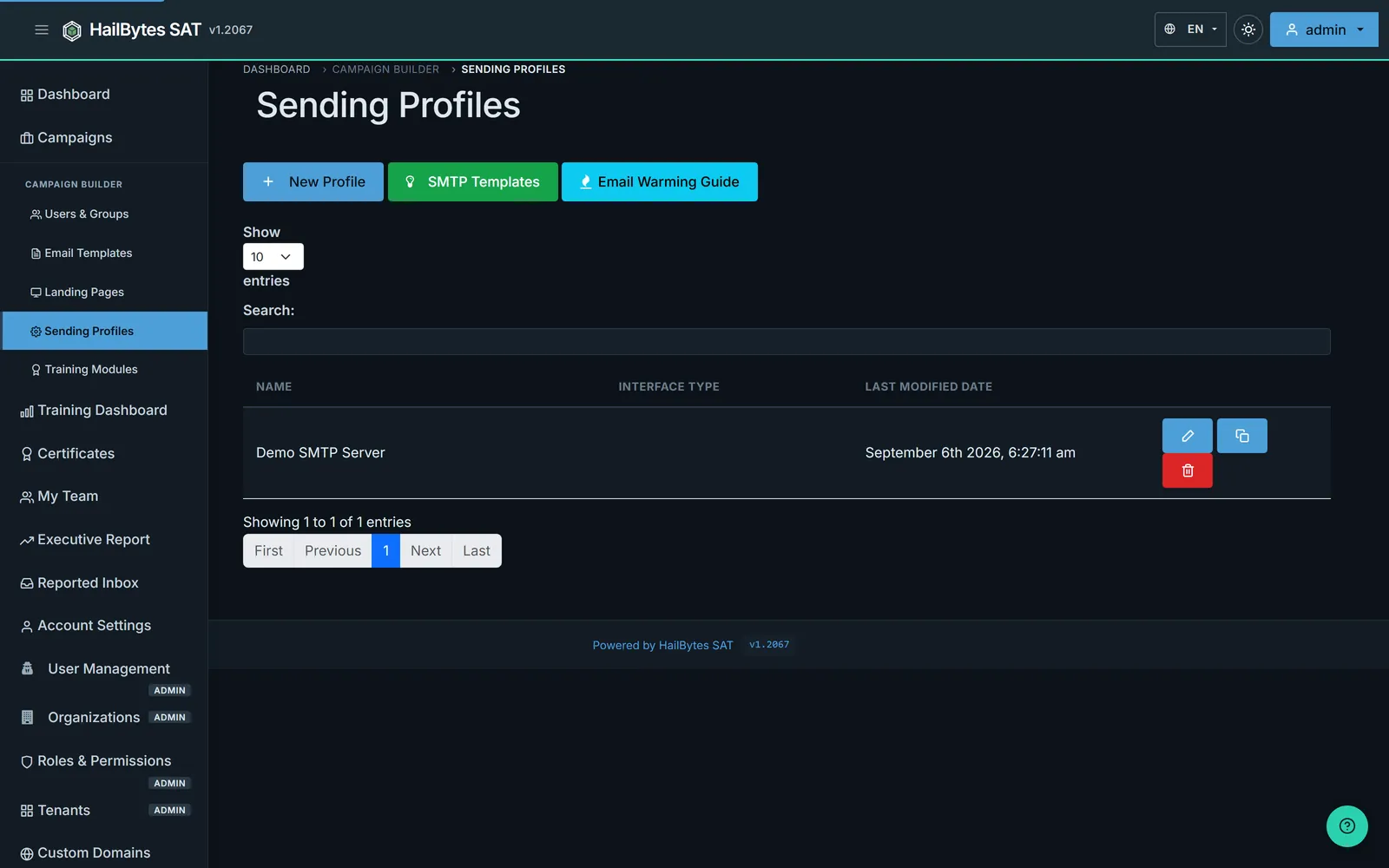
Any SMTP, IMAP Reply Monitoring, Built-in Warming Guide
AWS SES, SendGrid, Mailgun, Microsoft 365, or your own mail server. Point IMAP at a shared mailbox like phishing@company.com and HailBytes SAT tracks user-reported phish in real time, while forwarded reports stay available for analyst routing. Pre-built SMTP templates plus an email-warming guide help you land in inboxes, not spam folders.
Role-Based Access Control
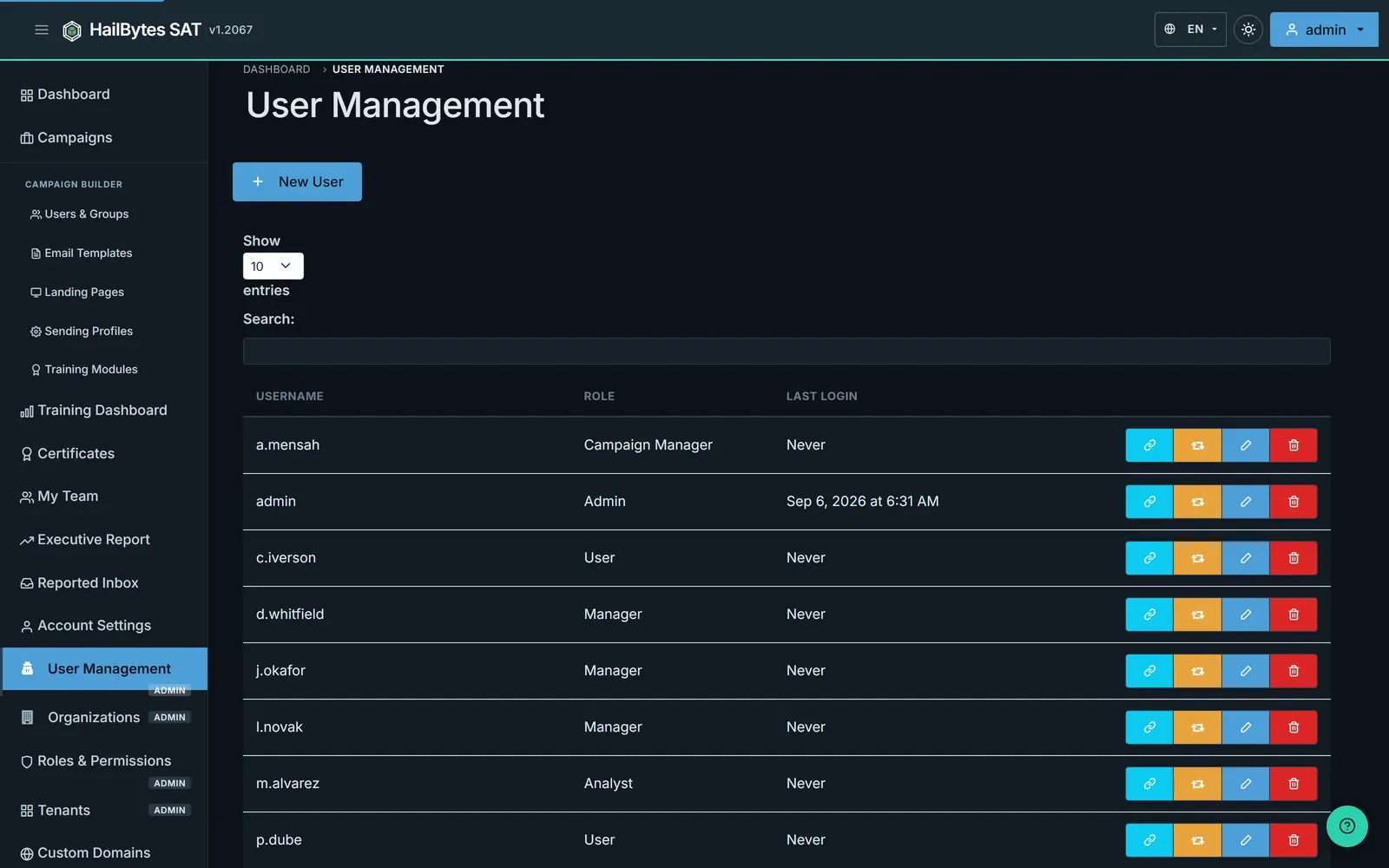
Multi-user platform with Administrator, User, and Read-Only roles. API tokens and last-login timestamps give security teams the controls auditors expect.
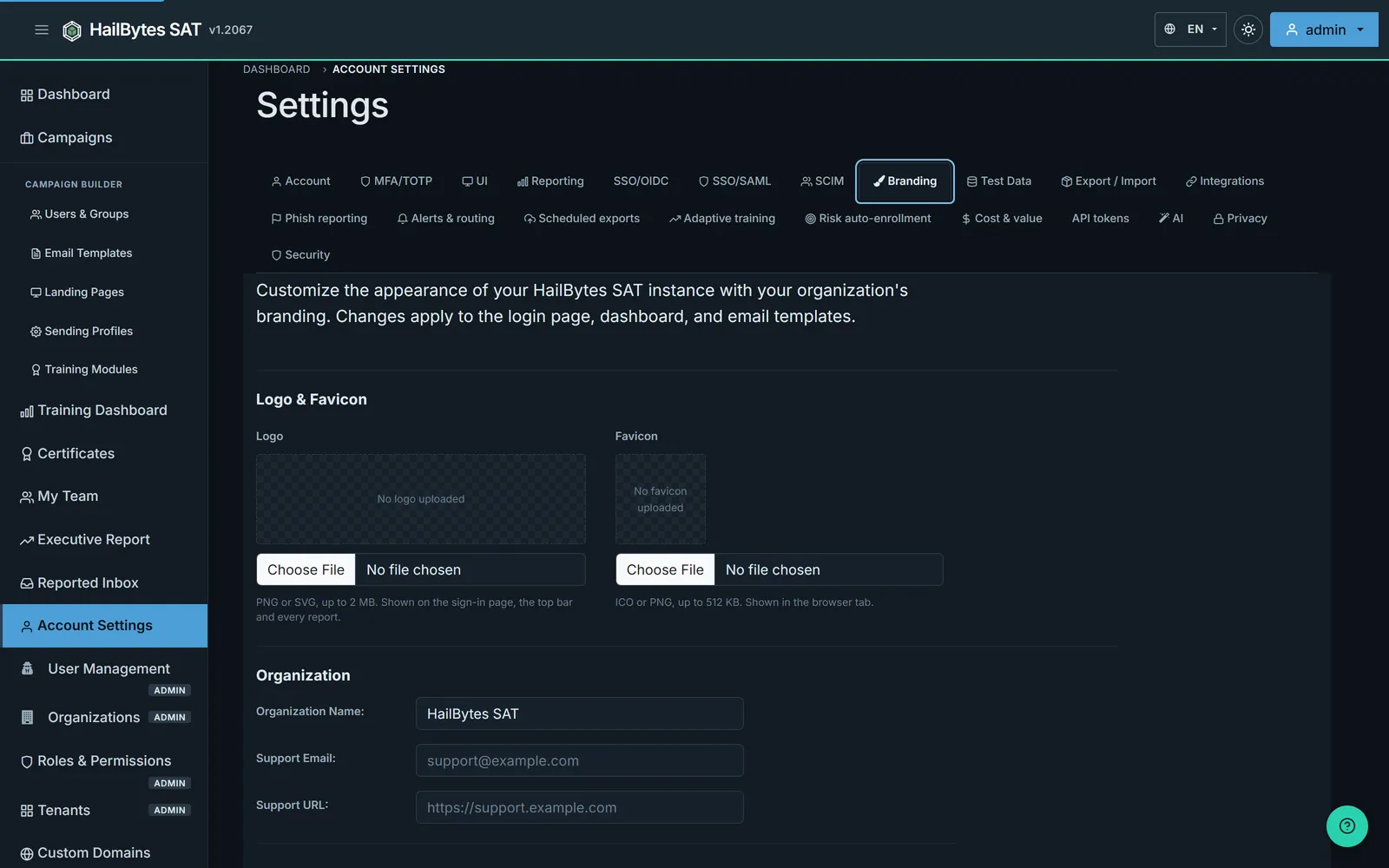
Enterprise Settings
TOTP MFA, OIDC SSO, custom branding, AI assistance, certificate management, test data controls, privacy, and security tabs, all in one place. Configure once, run programs for years.
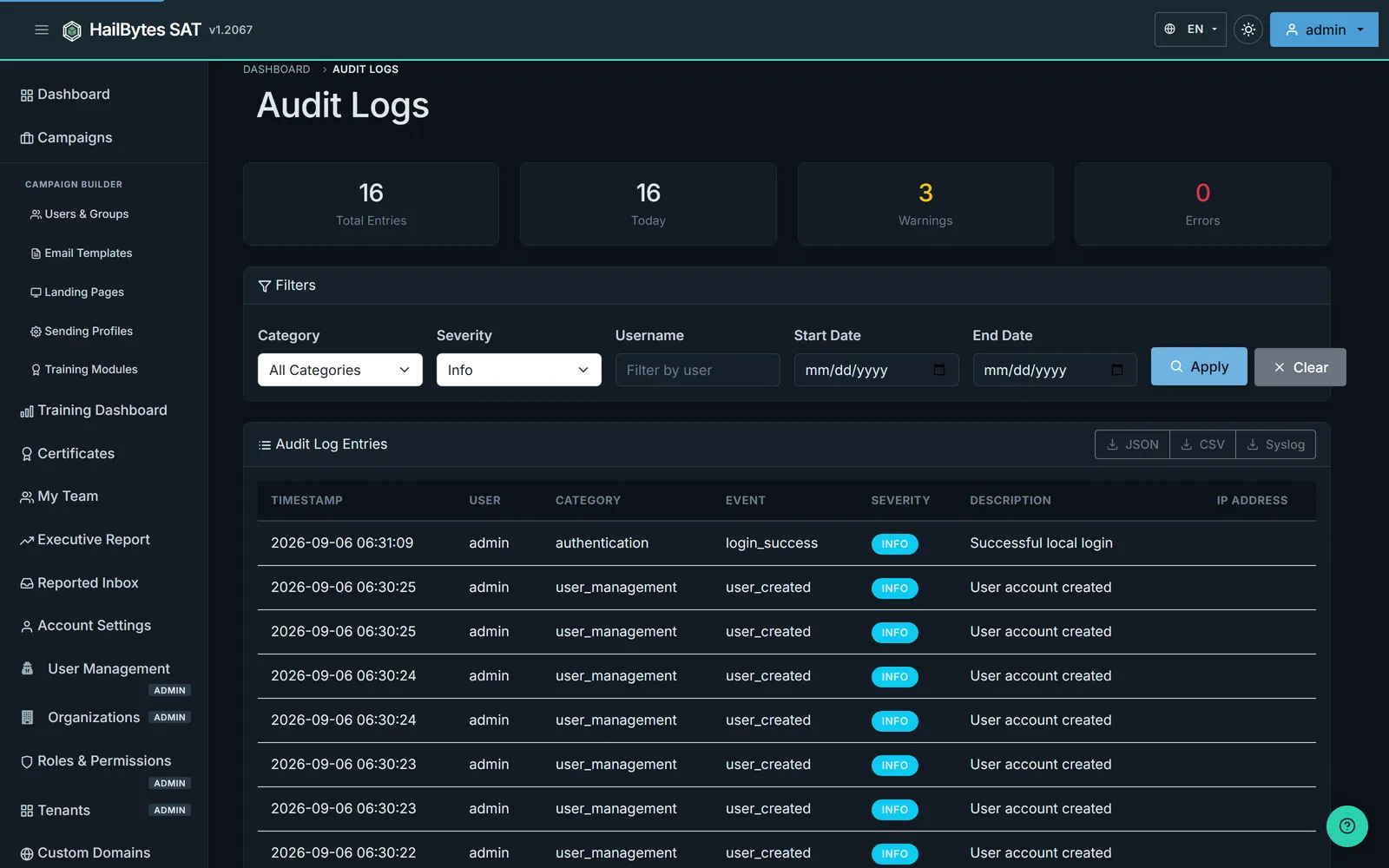
Audit Logs & SIEM Export
Every login, campaign launch, and export is logged with severity, user, category, and IP address. Export to JSON or CSV, or stream live events to your SIEM/SOAR via the REST API and webhooks.
Training, Compliance, and Reporting
A phishing simulation that only produces a click rate is a metric, not a program. Everything below ships in the same appliance, with no separate LMS, no per-seat training licence, and no data leaving your cloud account.
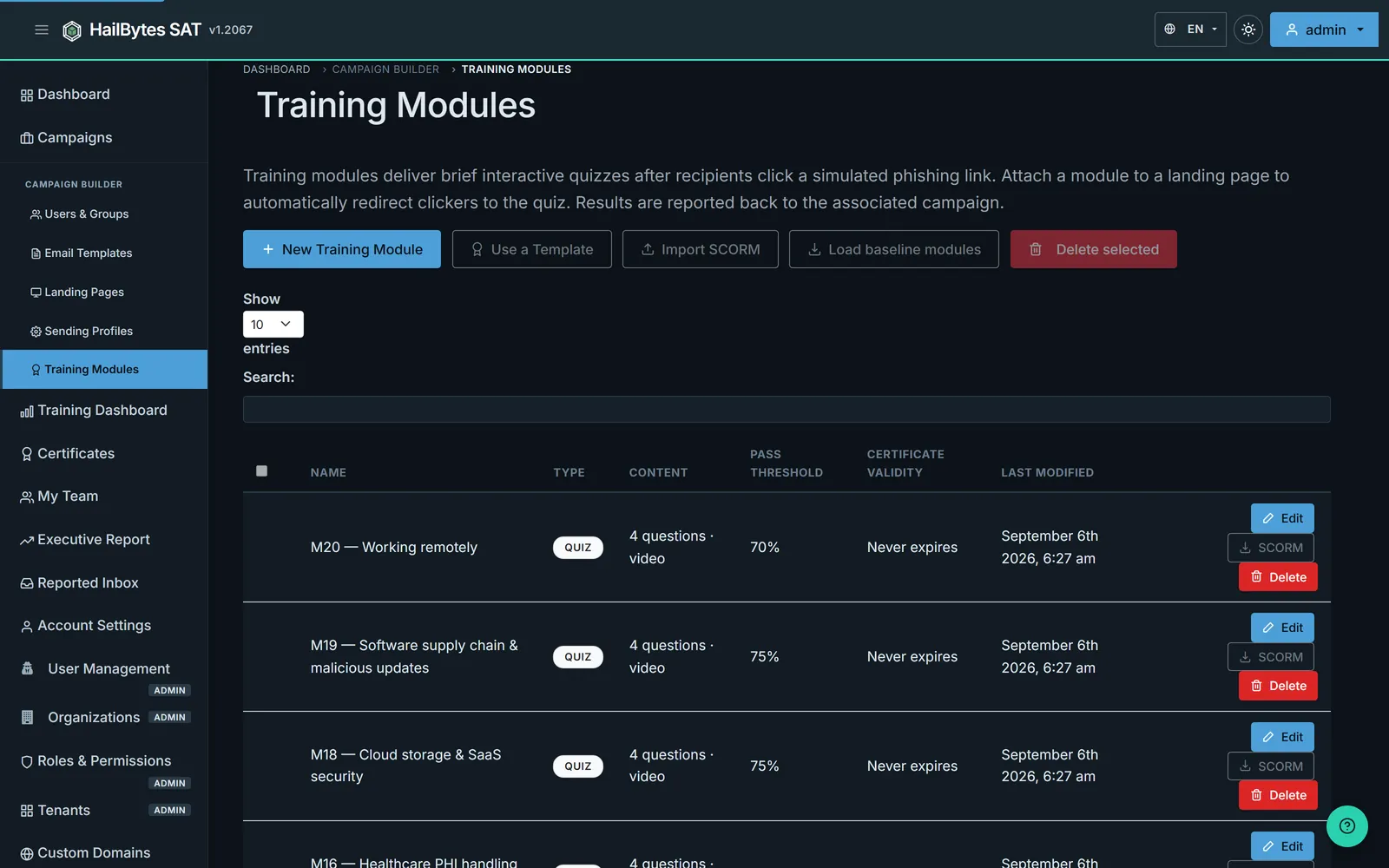
A Module Library, Not a Video Playlist
Short interactive modules with quizzes, pass thresholds and certificate validity periods set per module. Load the baseline set in one click, import your existing SCORM packages, or write your own. Attach a module to a landing page and anyone who clicks goes straight into it.
Compliance Rate, Not Completion Guesswork
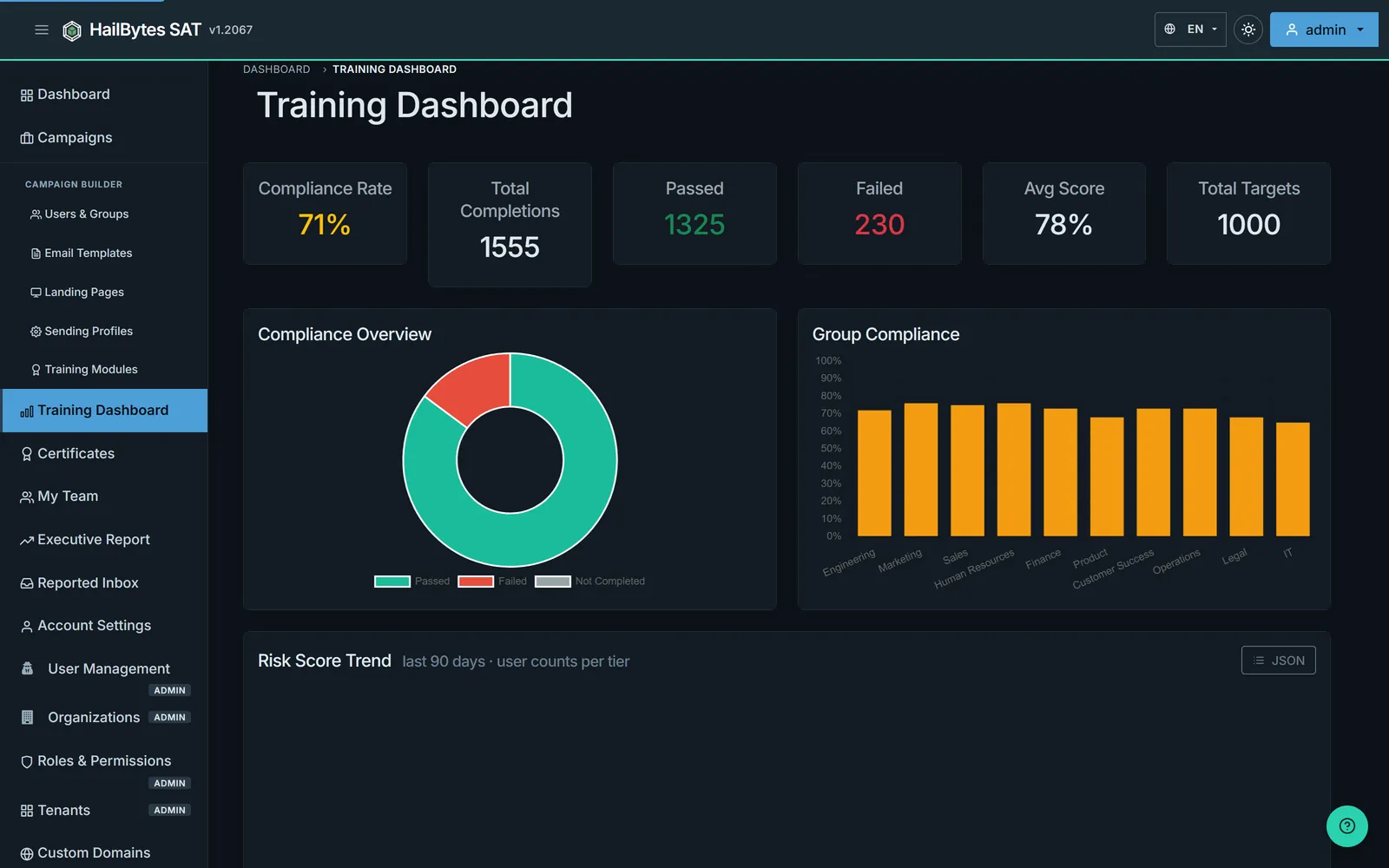
Compliance rate, total completions, pass and fail counts, average score and total targets across the whole population, with a pass/fail breakdown and per-department compliance so you can see which teams are behind before the auditor does.
Curricula That Match the Job
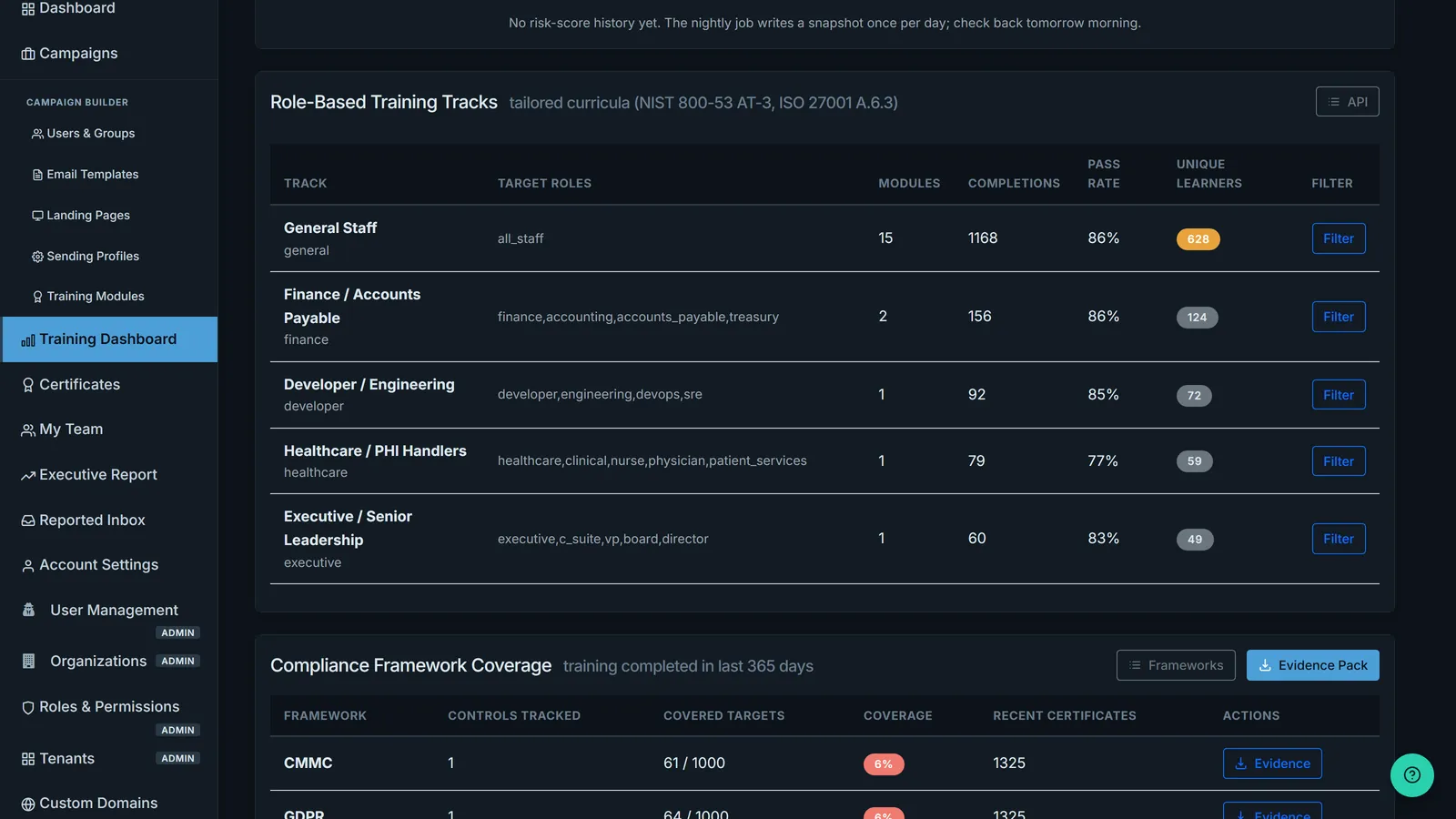
Built-in tracks for general staff, finance and accounts payable, healthcare and PHI handlers, engineering, and executives, each mapped to the roles it targets and reported with its own completion count and pass rate. The mapping lines up with NIST 800-53 AT-3 and ISO 27001 A.6.3.
Coverage per Framework, Not per Spreadsheet
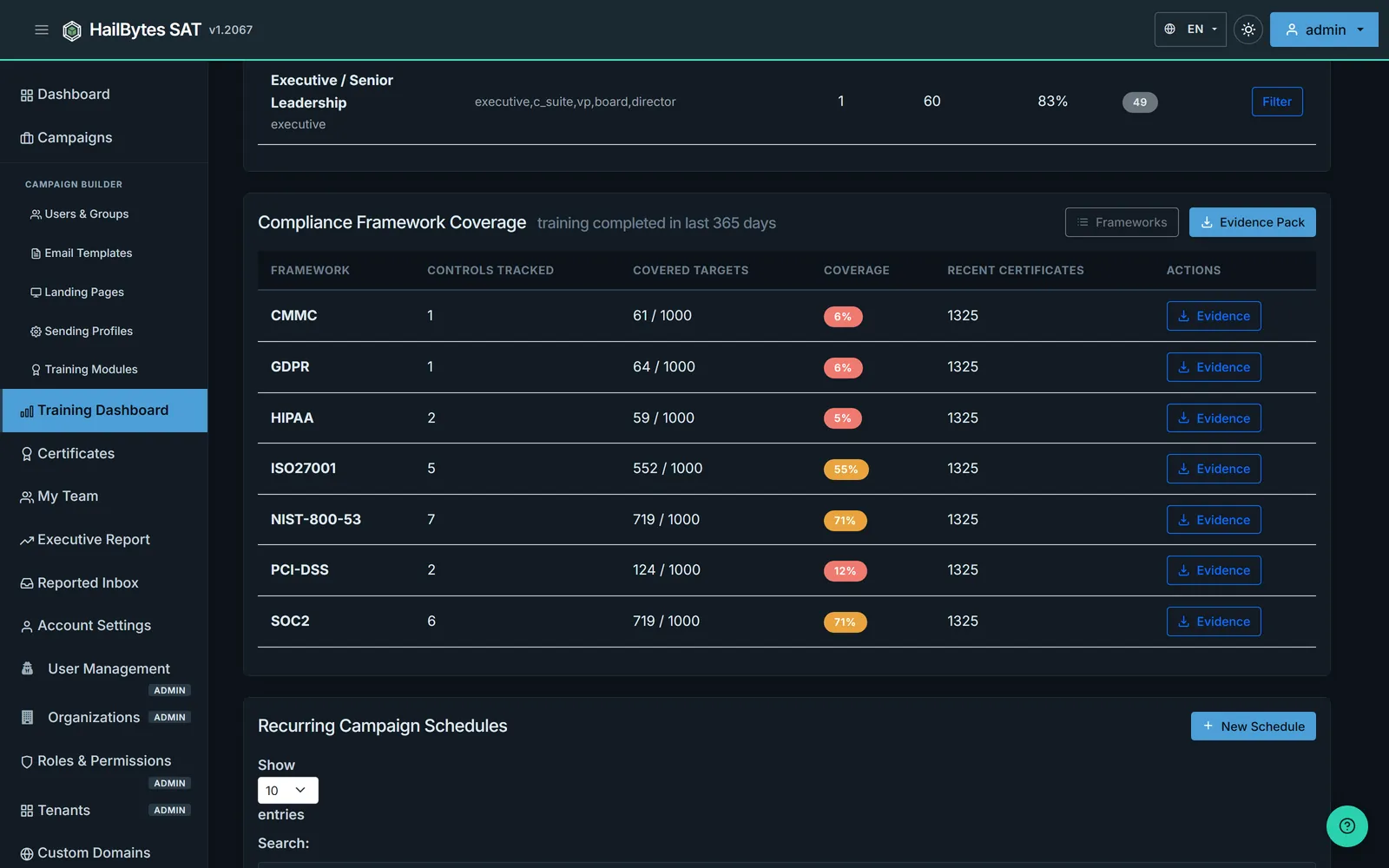
CMMC, GDPR, HIPAA, ISO 27001, NIST 800-53, PCI DSS and SOC 2, each with the controls being tracked, how many of your people are covered, and the certificates backing it. Every row has its own evidence download.
Hand the Auditor a ZIP File
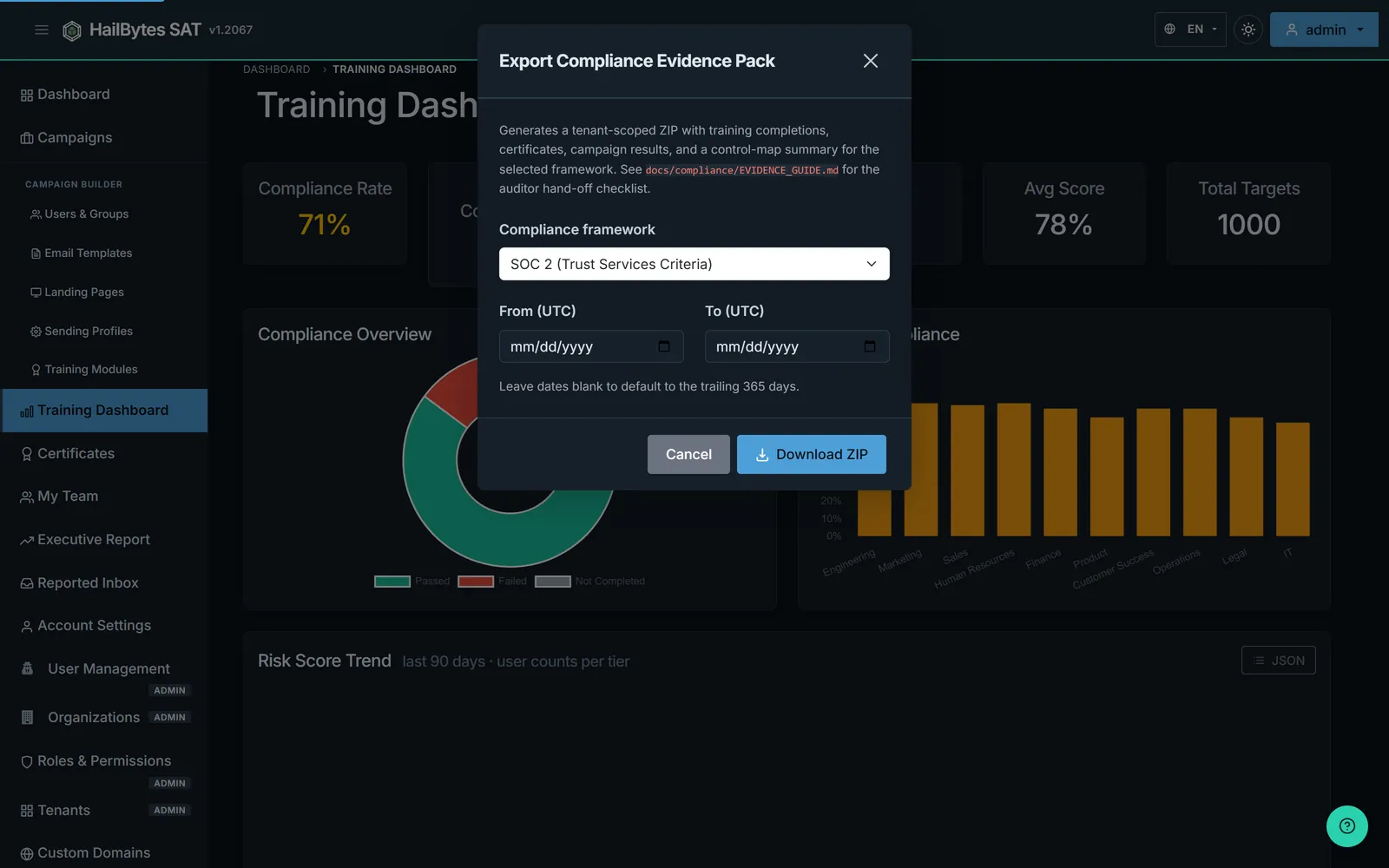
Pick a framework and a date range and export a tenant-scoped evidence pack: training completions, certificates, campaign results and a control-map summary. Leave the dates blank and it covers the trailing 365 days, which is what most audit windows want.
Certificates a Third Party Can Verify
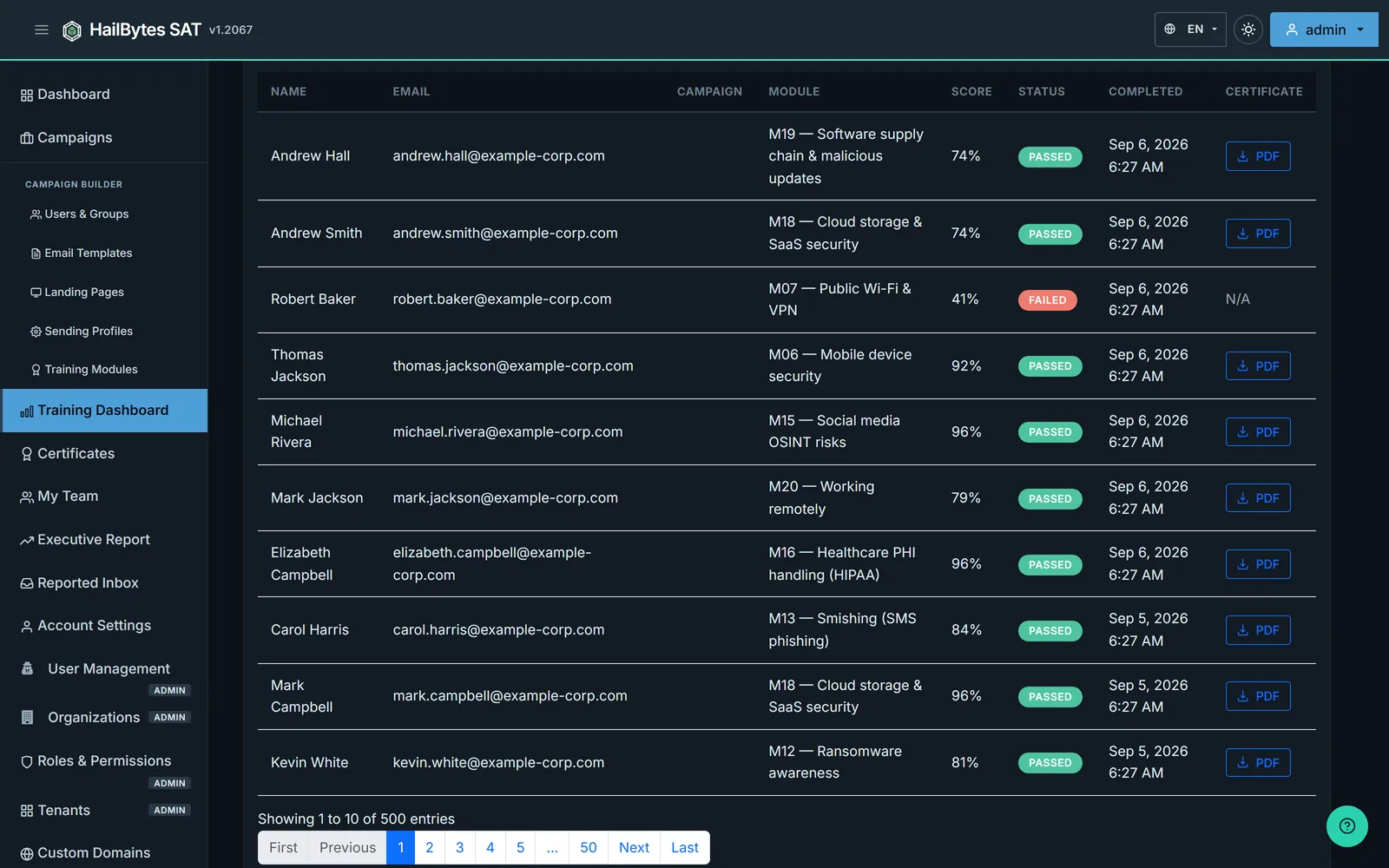
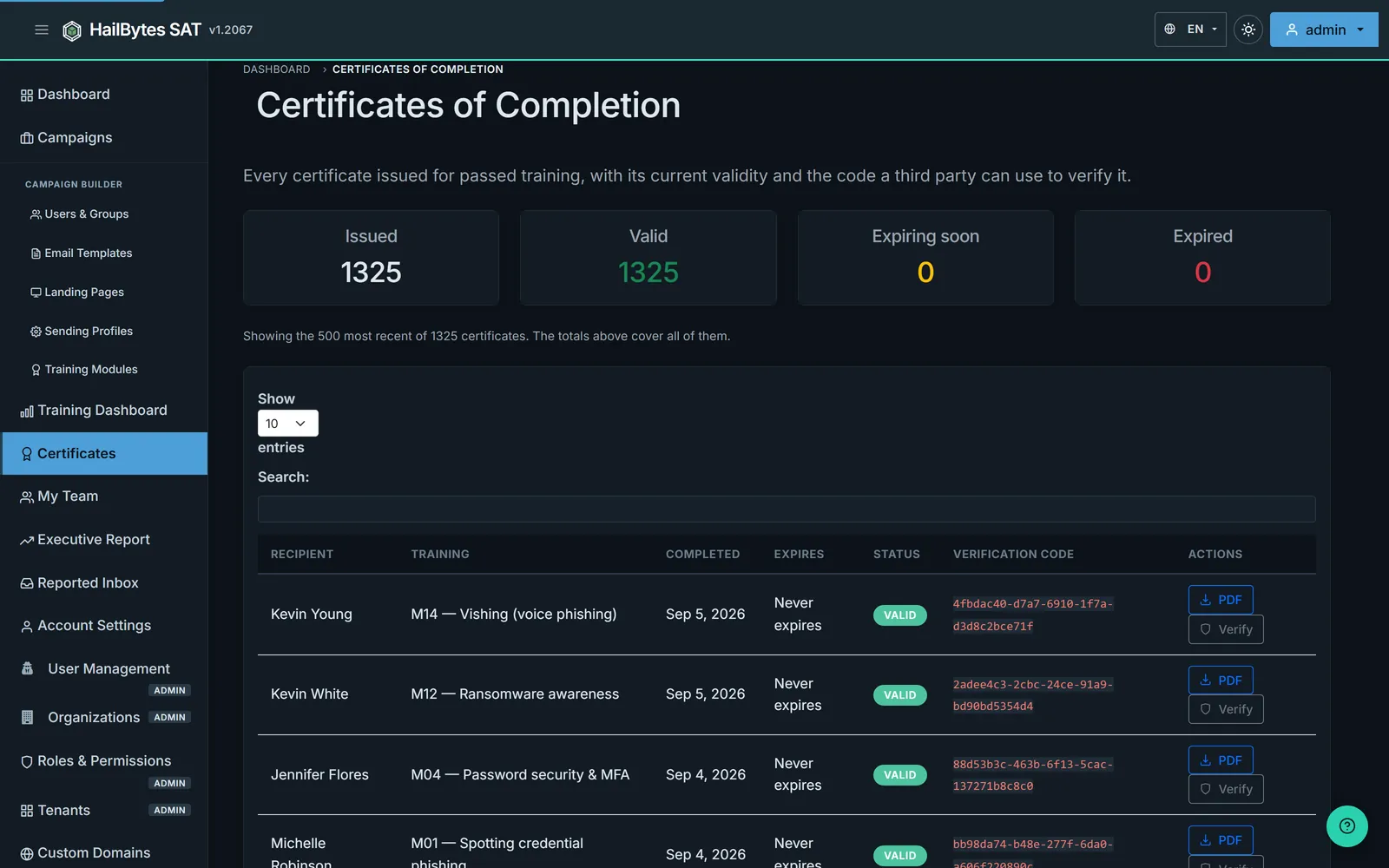
Every passed module issues a certificate with the recipient, the training, the completion date, an expiry driven by the module's validity policy, and a verification code an auditor or a customer can check independently. Download any of them as PDF.
Recertification Runs Itself
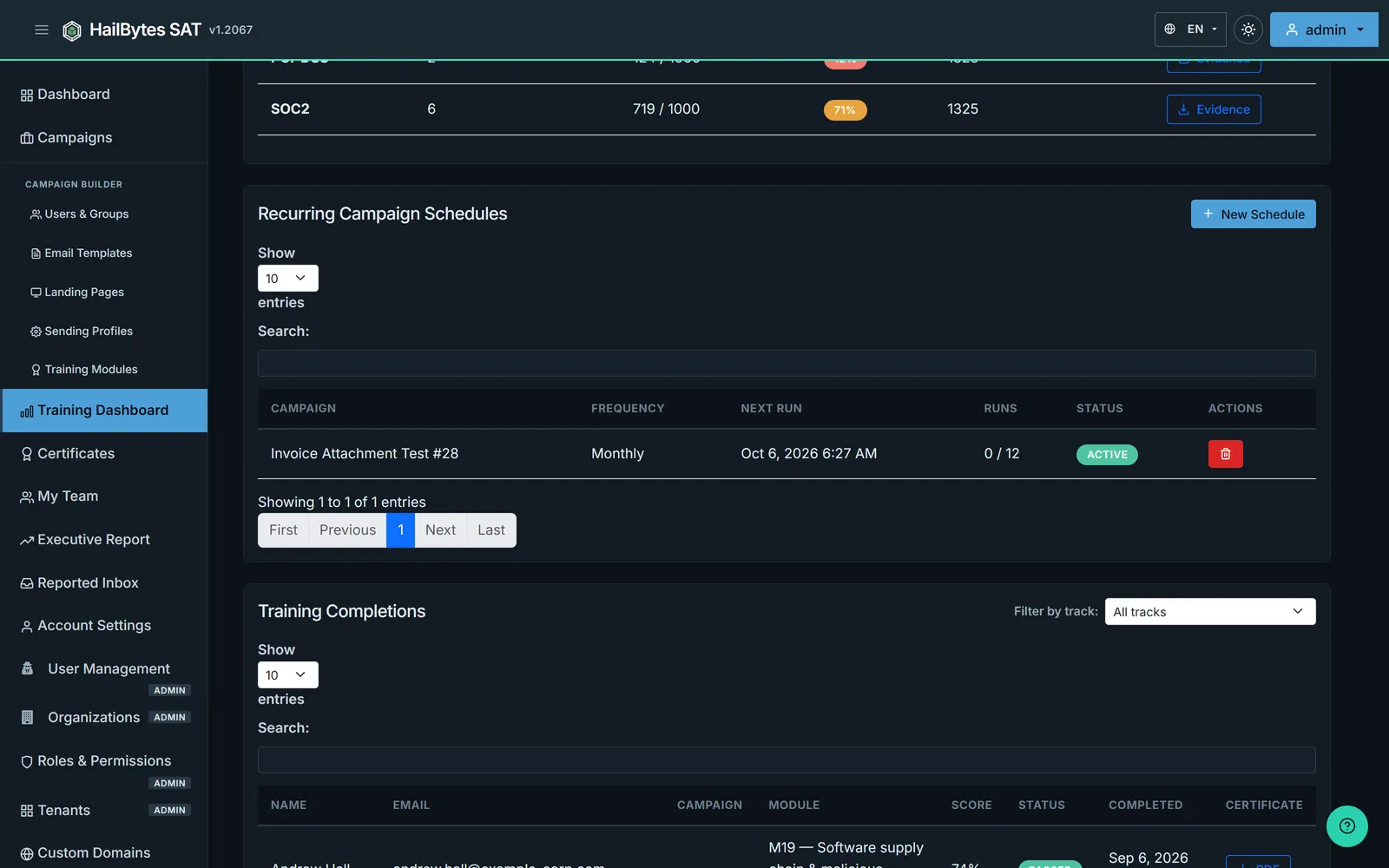
Set a recurring schedule and the platform re-runs the simulation and the training on the cadence your policy requires, so annual awareness training stops being a calendar reminder somebody has to action.
The Report the Board Actually Reads
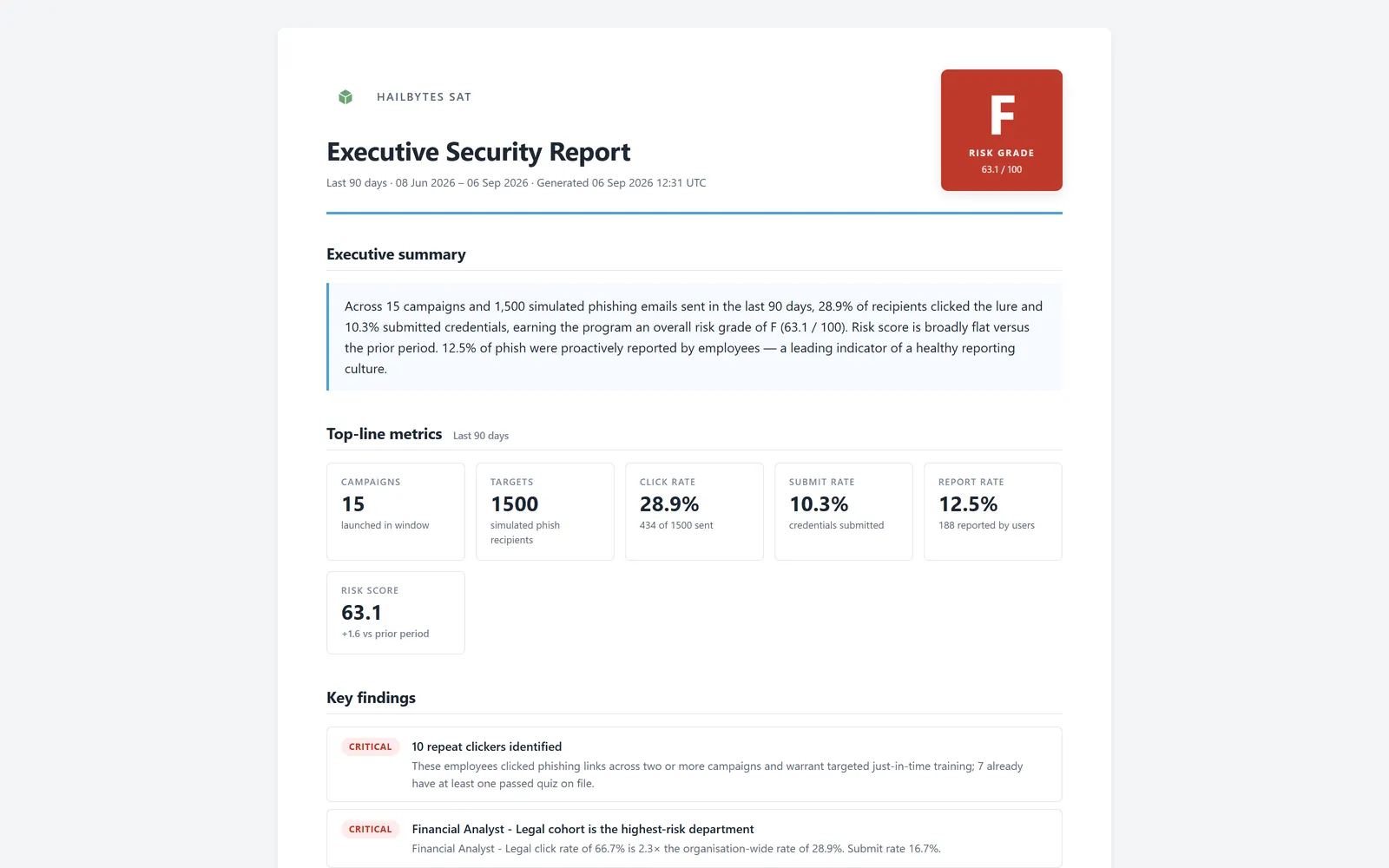
One page: a risk grade, a plain-English executive summary, campaigns, targets, click, submit and report rates for the window, the movement against the prior period, and ranked findings such as repeat clickers and the highest-risk department. Print it or export it to PDF from the dashboard.
One Console, Many Client Organizations
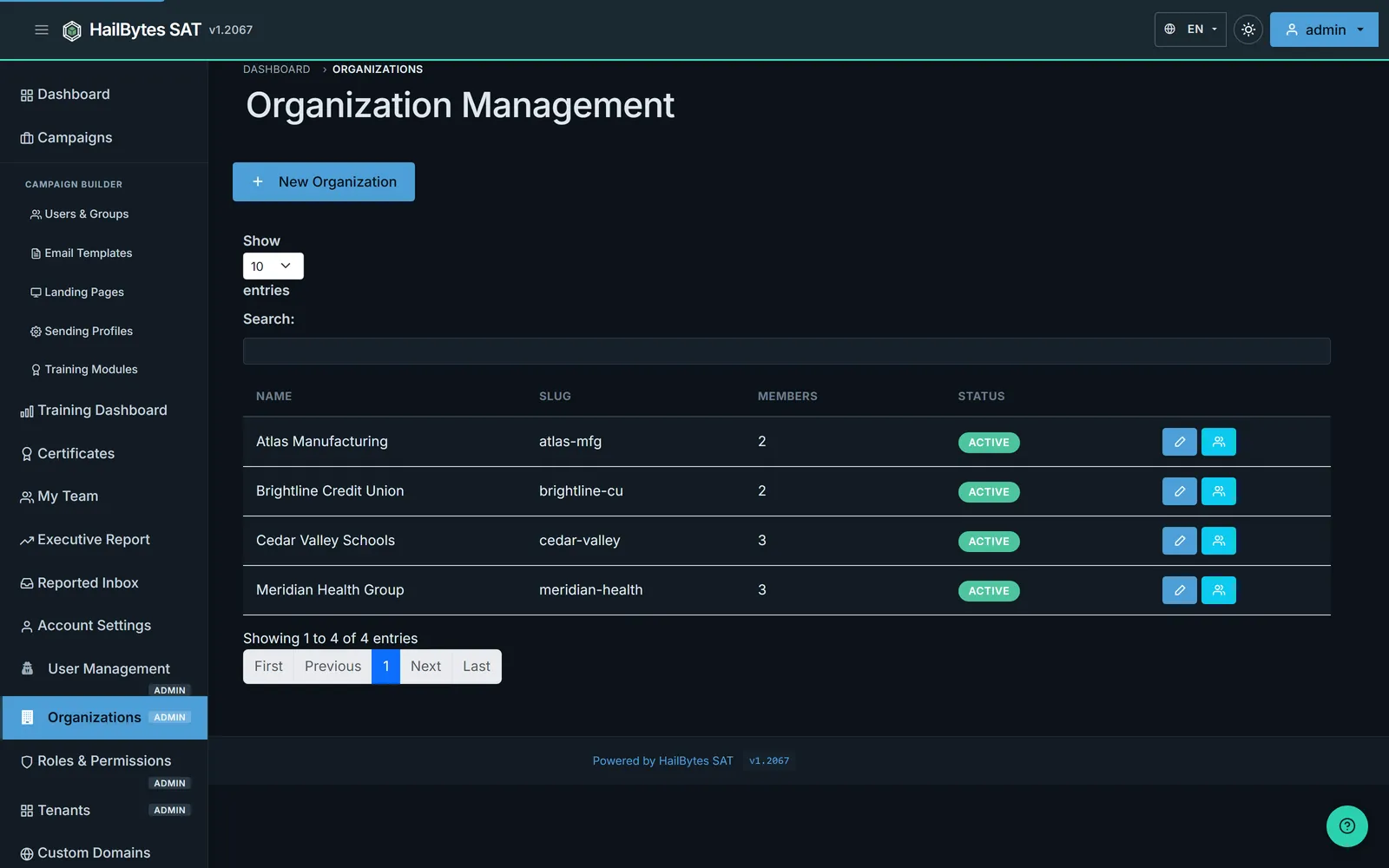
MSSPs and internal groups running several business units get organization scoping with its own member roster, seat cap and active status per client, so one deployment serves many customers without their data mixing.
Webhooks into the Tools You Already Run
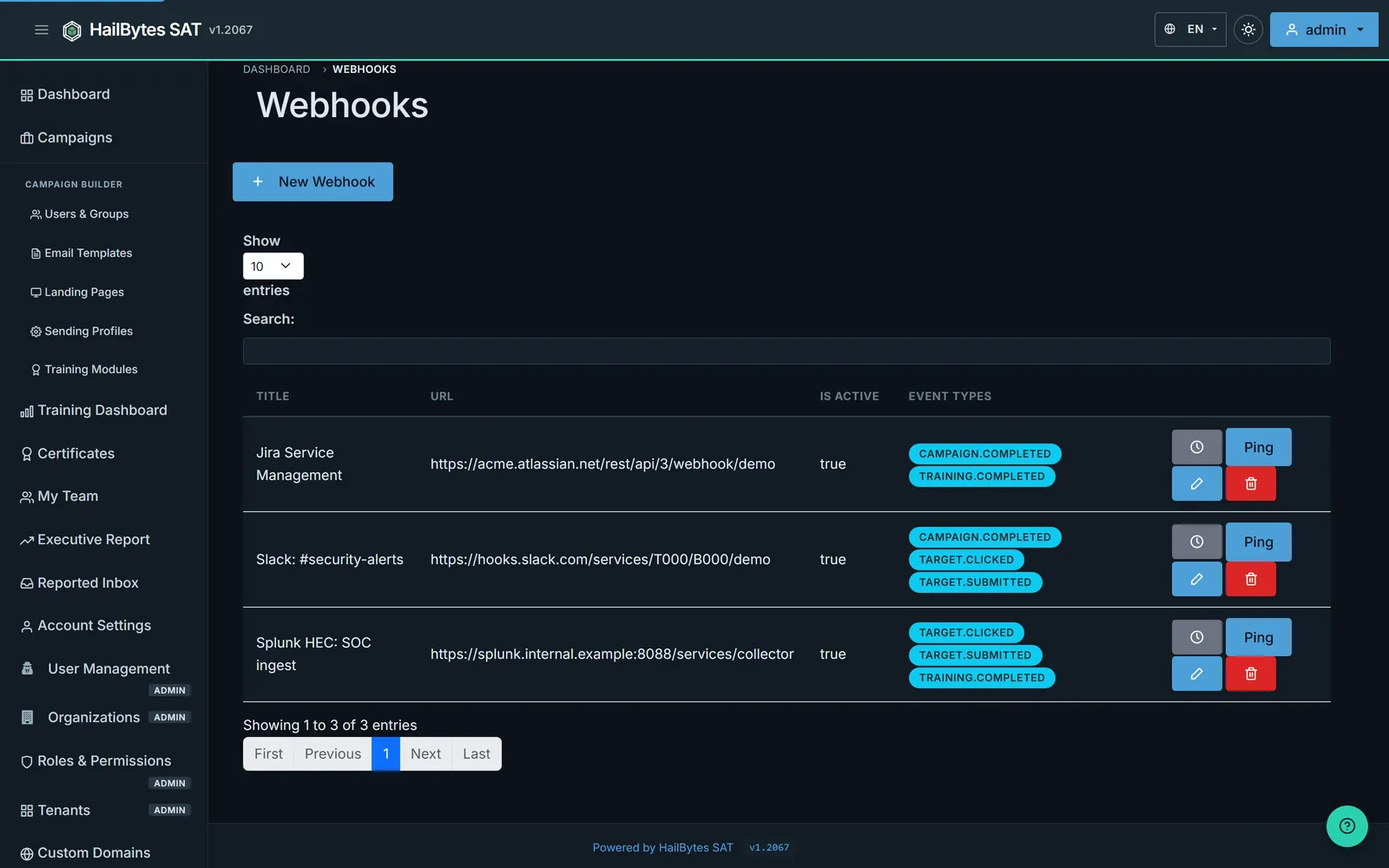
Point events at Slack, a Splunk HEC collector, Jira Service Management or anything else that accepts a signed POST. Subscribe per event type: campaign completed, target clicked, credentials submitted, training completed.
What Your People Report Back
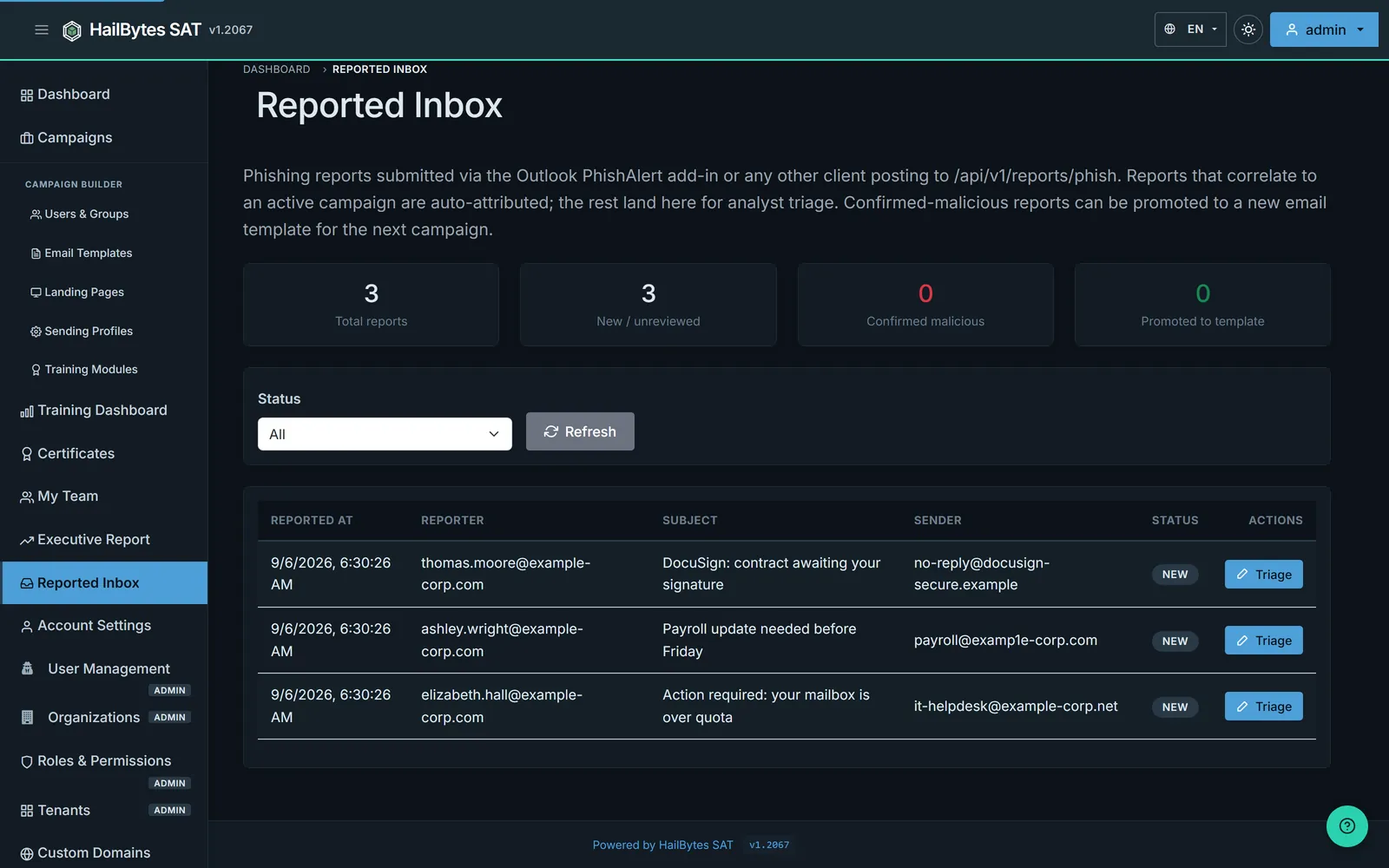
Reports from the Outlook add-in, or any client posting to the reporting endpoint, land here. Anything that correlates to a running simulation is attributed to it automatically; the rest queue for analyst triage. A confirmed-malicious report can be promoted straight into a new email template, so a real lure your staff caught becomes next quarter’s simulation.
The Completion Record Behind the Number
Compliance rates are only as good as the rows under them. Every completion is listed with the person, the module, the score, the pass or fail, and the date, searchable and exportable, so a challenged figure can be traced to the individual records that produced it.